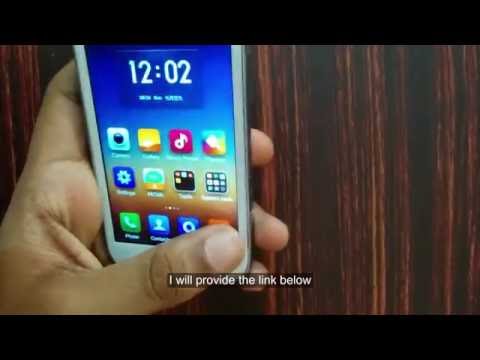
All Credits to @XDA husen4u
You need to Have a Custom Recovery to Do this Process like CWM or TWRP
- Check my other video to see how to Flash a Custom Recovery !
https://www.youtube.com/watch?v=ipx1hCPbSwo
Back to HYD52ROMV5 Rom
Do Check and Read the XDA Thread before Flashing it !!
http://forum.xda-developers.com/showthread.php?t=2335532
Rom Link
Link in the XDA thread seems not working :/
Use this link :- https://drive.google.com/open?id=0B0h43rvWB-1vbXI3SXF4eEt2bGs
Steps
- Download the ROM
- Copy File To Your SD Card.
- Wipe Data/Cache
- Wipe Dalvik Cache
- Install From SD Card.
- Select HYD52ROM.ZIP
That's all First Boot Might take Some time be Patient
If Something goes Wrong Flash stock Rom to Go back
Stock Rom Tutorial :- http://youtu.be/ZQY7YwBJieA
If you have any doubts Please try to connect with me On FB/Gmail
Try not try to ask Doubts here in the comments :)
Facebook Group :- https://www.facebook.com/groups/433945066716313/
Enjoy Every one :D
You need to Have a Custom Recovery to Do this Process like CWM or TWRP
- Check my other video to see how to Flash a Custom Recovery !
https://www.youtube.com/watch?v=ipx1hCPbSwo
Back to HYD52ROMV5 Rom
Do Check and Read the XDA Thread before Flashing it !!
http://forum.xda-developers.com/showthread.php?t=2335532
Rom Link
Link in the XDA thread seems not working :/
Use this link :- https://drive.google.com/open?id=0B0h43rvWB-1vbXI3SXF4eEt2bGs
Steps
- Download the ROM
- Copy File To Your SD Card.
- Wipe Data/Cache
- Wipe Dalvik Cache
- Install From SD Card.
- Select HYD52ROM.ZIP
That's all First Boot Might take Some time be Patient
If Something goes Wrong Flash stock Rom to Go back
Stock Rom Tutorial :- http://youtu.be/ZQY7YwBJieA
If you have any doubts Please try to connect with me On FB/Gmail
Try not try to ask Doubts here in the comments :)
Facebook Group :- https://www.facebook.com/groups/433945066716313/
Enjoy Every one :D
- Категория
- Galaxy S

Комментариев нет.
Следующее
-
12:59
![Custom Rom Cosmic Rom v2.5 for Samsung Galaxy S Duos [GT-S7562]](https://pclabpro.ru/templates/apollo/img/melody-lzld.png)
Custom Rom Cosmic Rom v2.5 for Samsung Galaxy S Duos [GT-S7562]
-
08:33
Custom Rom HyperX Rom For Samsung Galaxy S Duos [GT S7562]
-
14:48
Custom Rom PMP™ Ultra v6.0 ROM For Samsung Galaxy S Duos [GT-S7562]
-
10:30
Custom Rom PMP™ King ROM For Samsung Galaxy S Duos [GT-S7562]
-
08:28
Custom Rom PMP™ Ultra v8.5 for Samsung Galaxy S Duos [GT-S7562]
-
05:59
Install KyleOpen Android 4.0.4 on S7562 Duos Galaxy Custom ROM
-
12:14
Custom Rom SGS5 - Xperience Rom For Samsung Galaxy S Duos [GT S7562]
-
08:04
Custom Rom KyleOpen v3.4.0 for Samsung Galaxy S Duos [GT-S7562]
-
04:01
MIUI custom rom in Samsung s GT-S7562
-
10:30
Custom Rom PMP™ King ROM For Samsung Galaxy S Duos [GT-S7562]
-
04:12

Почему экран iPhone долго отключается при блокировке?