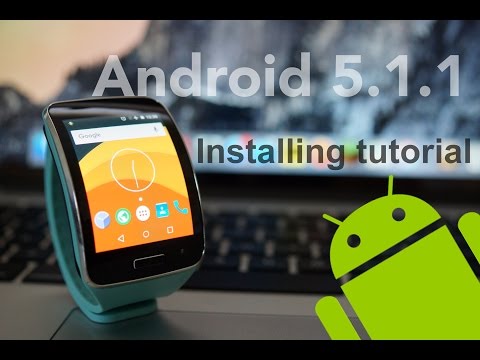
As many of you requested me to make step by step how video,
I wanted to show you guys step by step tutorial for installing 5.1.1 Lollipop on Gear S!
* CDMA (AT&T, Verizon) versions are not tested yet.
REQUIRED TO DOWNLOAD:
- Recovery (EXTRACT NEEDED)
http://bit.ly/1OA4tnS
-CM12.1 (EXTRACT NEEDED)
http://bit.ly/1MOwFgB (Updated 1/3/2016)
- Tizen image (EXTRACT NEEDED)
http://www.sammobile.com/firmwares/download/42450/R750TUVU1AOA7_R750TTMB1AOA7_TMB.zip/
- ADB driver
http://bit.ly/1LGd2Me
- adb.zip (EXTRACT NEEDED)
http://bit.ly/1MwRr7n
----------------------------------------------------------------------------------------------------------------
COMMANDS:
1. adb shell
2. mount /dev/block/mmcblk0p24 /data
3. dd if=/dev/block/mmcblk0p23 of=/data/system-data.img
4. cd data
5. tar cf sysdata.tar system-data.img
6. exit
7. adb pull /data/sysdata.tar
----------------------------------------------------------------------------------------------------------------
GOING BACK TO TIZEN (STOCK)
If you want to get back to Tizen, flash the Tizen_Backup.tar and sysdata.tar via Odin.
Tutorial: https://youtu.be/Yo_o7cv6lxY
DEV Thread: http://forum.xda-developers.com/showthread.php?t=3177740
*ALL THE CREDIT GOES TO biktor_gj IN XDA DEV THREAD.
----------------------------------------------------------------------------------------------------------------
By Jayson Koo (Minjoon)
I wanted to show you guys step by step tutorial for installing 5.1.1 Lollipop on Gear S!
* CDMA (AT&T, Verizon) versions are not tested yet.
REQUIRED TO DOWNLOAD:
- Recovery (EXTRACT NEEDED)
http://bit.ly/1OA4tnS
-CM12.1 (EXTRACT NEEDED)
http://bit.ly/1MOwFgB (Updated 1/3/2016)
- Tizen image (EXTRACT NEEDED)
http://www.sammobile.com/firmwares/download/42450/R750TUVU1AOA7_R750TTMB1AOA7_TMB.zip/
- ADB driver
http://bit.ly/1LGd2Me
- adb.zip (EXTRACT NEEDED)
http://bit.ly/1MwRr7n
----------------------------------------------------------------------------------------------------------------
COMMANDS:
1. adb shell
2. mount /dev/block/mmcblk0p24 /data
3. dd if=/dev/block/mmcblk0p23 of=/data/system-data.img
4. cd data
5. tar cf sysdata.tar system-data.img
6. exit
7. adb pull /data/sysdata.tar
----------------------------------------------------------------------------------------------------------------
GOING BACK TO TIZEN (STOCK)
If you want to get back to Tizen, flash the Tizen_Backup.tar and sysdata.tar via Odin.
Tutorial: https://youtu.be/Yo_o7cv6lxY
DEV Thread: http://forum.xda-developers.com/showthread.php?t=3177740
*ALL THE CREDIT GOES TO biktor_gj IN XDA DEV THREAD.
----------------------------------------------------------------------------------------------------------------
By Jayson Koo (Minjoon)
- Категория
- Galaxy S

Комментариев нет.
Следующее
-
23:42

Samsung Galaxy S6 Install Android 11 LineageOS 18.1 Custom Rom Full Tutorial Step By Step Guide
-
27:36
Samsung Galaxy S5 G900F Android 7.0 Nougat Install & Root Full Tutorial
-
08:53
Samsung Galaxy S i9000 - Android 4.x Jelly Bean from stock rom - PROPER INSTALL TUTORIAL
-
24:14
Samsung Galaxy S6 Install Android 10 Easy Tutorial Great Performance & Battery Life
-
02:33
Android Wear on Samsung Gear S! [Gear Live Port]
-
22:46
Samsung Galaxy S5 G900F Install Android 9.0 Pie Full Tutorial
-
20:41
Android 10 for Samsung Galaxy S4 mini i9190 i9192 & i9195 Install Tutorial 2020
-
27:36
Samsung Galaxy S5 G900F Android 7.0 Nougat Install & Root Full Tutorial
-
24:42
Samsung Galaxy S5 Root & Install Android 8.0 Oreo Tutorial
-
08:06
Tutorial - Samsung Galaxy S Plus - Fresh install of Android 4.4.2 KitKat from Android 4.2.2
-
04:12

Почему экран iPhone долго отключается при блокировке?